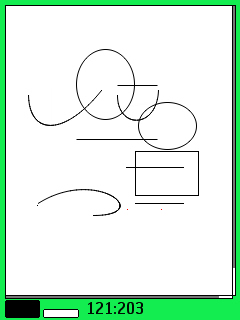
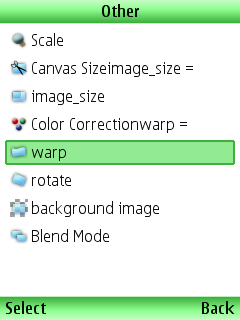
With this program you can create and edit bitmap images on a mobile phoneThat support j2me.
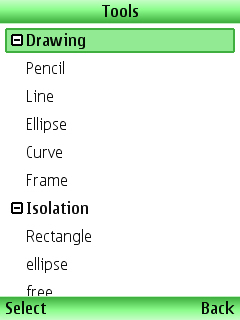
* Tools in GrafShot:
~ Dropper: This tool is designed to schitovaniya current color images in the current palette.
Usage: direct the cursor to the desired pixel and press center Joey.
~ Pencil: draw a point.
~ Line: Draw a segment.Usage: set the start and end of the segment.
~ Brush: draws an arbitrary line.Usage: press "5", With the number keys draw a shape and click again "5."
~ Rectangle: draws a filled rectangle.Usage: put the beginning and end of a diagonal rectangle.
~ Frame: a frame appears.Usage: put the beginning and end of the diagonal of the frame.
~ Ellipse: draws an ellipse.Usage: put the beginning and end of a diagonal of a rectangle that will fit ellipse.
~ Fill: "superseded" the current drawing color to the current color palette.Use: Choose the desired area and press "5".
~ Blur:
Eroded part of the picture.Use: Choose the desired area and press "5".
* The tool settings (press the # key):
~ Blur: blurs the boundary instruments (everything but the tool "blur").
~ Flow: determines the strength (blur) or transparency tool (all others).
~ Size: Specifies the size of the cursor (only "blur").
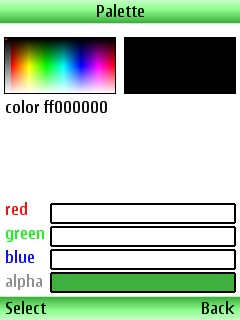
~ Palette: With the palette you can choose the most suitable color.One can select from ready-made colors or manually using the number keys.
~ Matrix: Matrix needed to create their effects.

176x208: S60 2ed

176x220: SE K700, K750
176x220: SE K550, K610, W350, W810, Z710
240x320: S60 3ed
240x320: SE K770, K800, S500, T650, W850
320x240: S60 3ed
352x416: S60 3ed
360x640: S60 3ed
v0.33 Download [114.82kb]


 Downloaded by: 546 Users!